

Start here
Your first workflow
Build a small, inspectable workflow and verify a real result before scaling up.
Before you start
Section titled “Before you start”Open the app, register, and sign in once an administrator approves your account. Create a workspace and a workflow for a result you want to keep. The Playground is for unsaved experiments.
For extraction, you need access to a working model: the platform default or an authorized model resource. Choose a public page you are allowed to read. This guide uses a single page so the first result is easy to check.
1. Describe your goal
Section titled “1. Describe your goal”Connect your agent and ask:
Create a workflow in my workspace that reads https://example.com, answers “What is this page for?”, and displays the answer. Use one page, depth zero. Validate before running, then inspect the Markdown and the answer. Give me the workflow id.
The reserved example domain is a small test page. Replace it with your own source after the first run works. The agent can build the graph through MCP; site inspection depends on the agent’s own available browser tools.
2. Inspect or build the graph
Section titled “2. Inspect or build the graph”Open the workflow in the app. If you are building manually, add and connect:
URL Fetcher → Markdown Converter → LLM Processor → Text| Node | Settings |
|---|---|
| URL Fetcher | url: https://example.com, depth: 0, max_pages: 1, mean_delay: 1 |
| Markdown Converter | content_source: cleaned_html, content_filter: none |
| LLM Processor | prompt: What is this page for?, output_format: text |
| Text | No additional settings; show the connected answer |
Double-click a node to inspect its settings. Keep extraction instructions separate from answer-mode prompt; see LLM Processor.
3. Validate and execute
Section titled “3. Validate and execute”Press Validate and resolve errors in the panel. Press Run to save and execute the workflow as a background job. Follow node progress in the run panel.
If validation succeeds but execution fails, check the failed node and its error. A model can still be unavailable or lack credits at execution time.
4. Verify the result
Section titled “4. Verify the result”- Open the fetcher output and confirm the requested page was read.
- Open the Markdown output and confirm it contains the page’s actual text.
- Open the Text output and compare the answer with that text.
- Open run history to find this execution again.
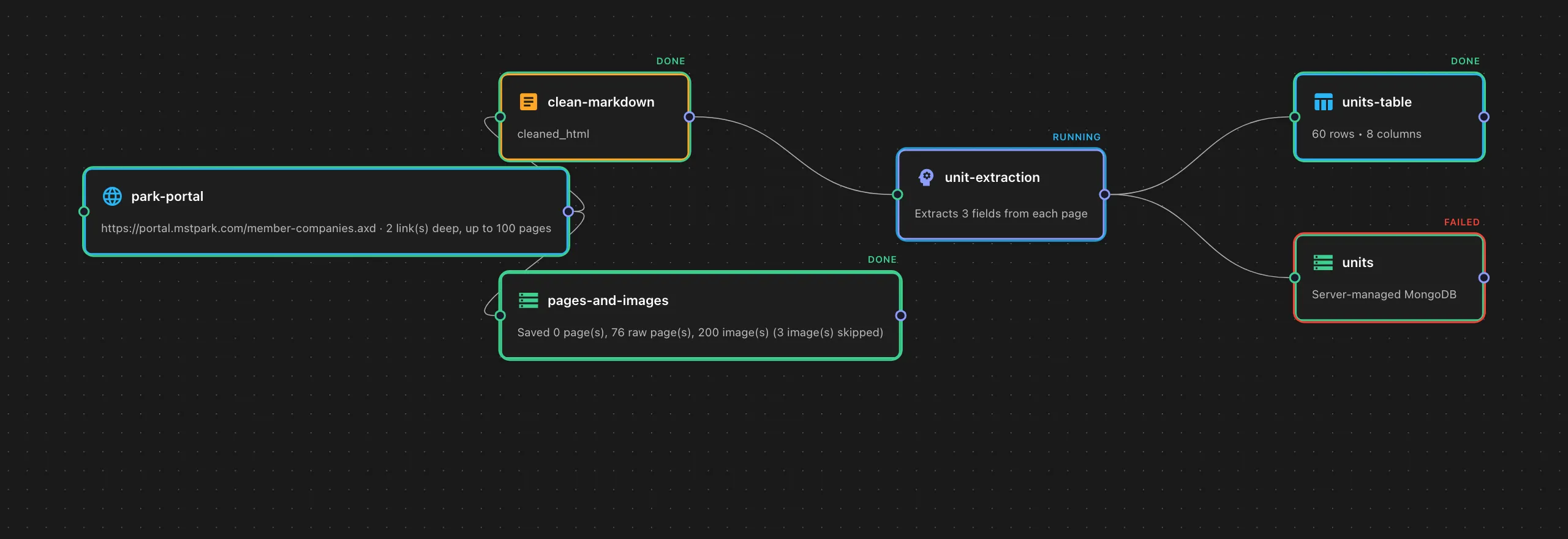
5. Keep and extend the process
Section titled “5. Keep and extend the process”The saved graph is reusable. Change the URL and run again. For structured records, switch to extraction mode, add a Table, and choose a storage node to persist records. Test a small directory workflow before increasing limits.